Wallpaper 4K HD – Wallcraft
Nebuchadnezzar DOOPersonalization
4.610.48K Reviews
- Version
- Varies With Device
- Installs
- 100.00M
- Age Rating
- Teen
Screenshots
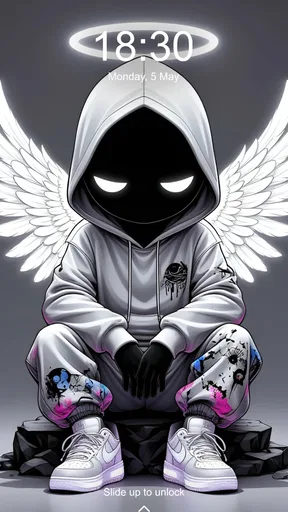
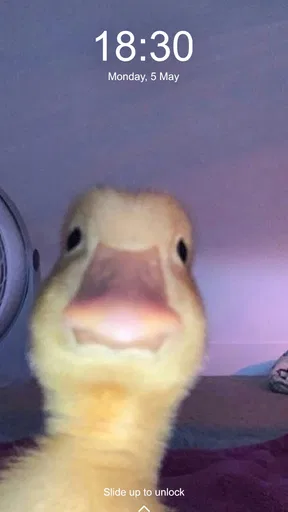
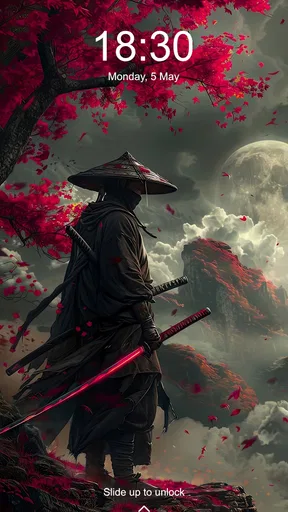
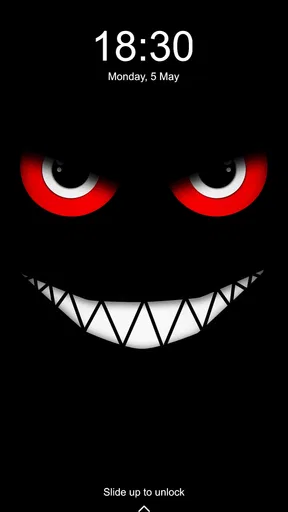
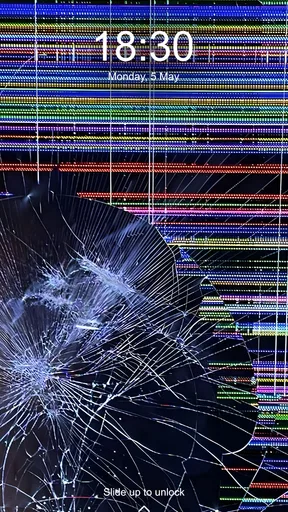
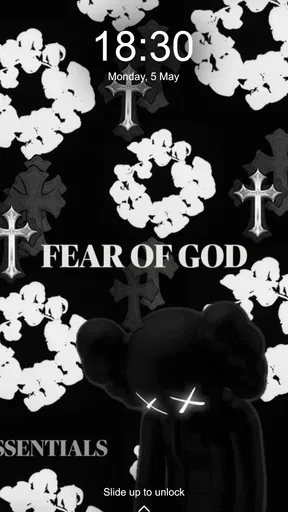
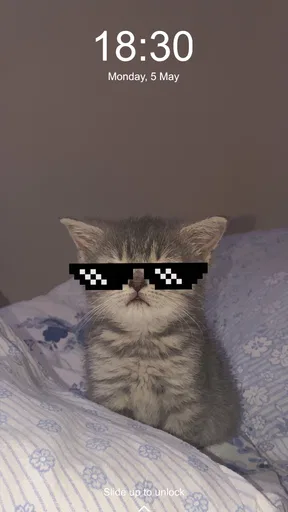
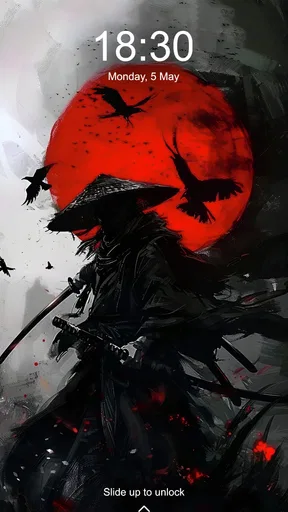
Our Review of Wallpaper 4K HD – Wallcraft
 Analysis by Appyee
My first-week reaction to Wallpaper 4K HD – Wallcraft was that changing a phone’s look could be quicker and more enjoyable than I expected. I opened it wanting a different background, then found myself browsing well past the point when I had already picked one. That initial appeal is real, though the better question is whether a wallpaper app remains useful after the novelty wears off.
Picking a look that works on your actual screen
A polished image in a browsing feed is not automatically a good wallpaper. I find it helps to picture the phone’s icons and clock over the image before saving it: a detailed scene can look impressive on its own but make the home screen harder to scan. Wallcraft is most useful when I treat browsing as a search for something I will live with every day, rather than a contest to pick the most dramatic picture.
For a practical first session, I would choose one image for the lock screen and a calmer one for the home screen. That makes the two views feel related without forcing one busy picture to sit behind every app icon. If I want a matching pair, I can keep the colors or subject similar; if readability matters more, a simple home-screen background is the safer choice.
Who gets the most from it
I can see Wallcraft appealing most to people who enjoy refreshing their phone’s appearance but do not want to edit images themselves. It also suits anyone who likes browsing visual styles for inspiration, then saving a few favorites rather than committing to the first attractive result. Someone who changes a background only once in a long while can still use it, but may not need a dedicated wallpaper app open regularly.
By contrast, if your priority is a plain color, a personal photo, or a very specific crop, the phone’s built-in wallpaper picker may be the more direct option. A large collection is helpful when I want ideas; it is less helpful when I already know exactly what I want and would rather select a picture from my own library.
A small routine beats constant switching
One realistic way to use the app is to browse when I have a few minutes on a quiet evening, save a short list, and choose one image after seeing how it looks behind the actual home screen. That avoids the cycle of changing wallpapers in a rush and then switching back because the icons disappear against the new background. It also gives a favorite time to prove itself beyond the first impression.
I would not treat frequent changes as the measure of value. A background that stays in place for weeks can be a better result than a stream of new choices. The useful habit is occasional browsing when I genuinely want a change, not opening the app every day just because there may be something new.
How Wallcraft fits into everyday personalization
As a personalization app from Nebuchadnezzar DOO, Wallcraft is free to try, with in-app purchases ranging from $0.49 to $64.99 per item. It is rated Teen. Its average rating is 4.6 from around 1.2 million ratings, and it has passed 100 million installs, which suggests that wallpaper browsing is a familiar use case for many phone owners. Those figures tell me it is widely used, but they do not decide whether its particular mix of images and browsing style suits my taste.
Where it differs from the built-in picker
The standard wallpaper tools on a phone are convenient when I have already chosen an image, especially a photo of my own. Wallcraft serves a different purpose: it gives me a place to browse for a look I might not have thought of, then make a choice from within a dedicated visual collection. I would use the system picker for a quick, personal photo and Wallcraft when I want fresh inspiration without having to search through my camera roll.
That difference also points to a trade-off. Browsing a curated-feeling collection can be more entertaining than scrolling through personal pictures, but it introduces another destination and another set of choices. If I already have a folder of backgrounds I love, the built-in option may be simpler and easier to maintain.
Making the browsing session more deliberate
A tip that makes a real difference is to save only images I can imagine keeping, rather than treating every appealing preview as a favorite. A shorter shortlist is easier to revisit and makes switching feel intentional. I also check how a wallpaper looks in both screen positions before settling on it; a crop that suits the lock screen may put an awkward patch of detail beneath the home-screen icons.
For a shared or work-focused phone, I would lean toward restrained images with clear areas behind frequently used icons. For a personal device used mostly for photos and messaging, a more expressive background may be worth the extra visual noise. The best choice depends less on image quality alone and more on what I need to read and tap throughout the day.
Where the appeal can wear thin
A broad selection can become its own source of fatigue. When I keep browsing after finding an image I like, the next choice can make the current one feel less satisfying without actually improving my screen. Daily updates may provide a reason to return, but they can also encourage unnecessary switching. I get more lasting value by treating new arrivals as optional inspiration rather than a prompt to replace a wallpaper that already works.
There is also a practical distinction between seeing an image and living with it. A dramatic, high-detail scene may be striking in a preview yet compete with notification text or app labels. If that happens, the image has not failed as artwork; it simply is not suited to that screen layout. I would rather choose a quieter background than keep trying to make a visually busy one feel comfortable.
What to expect from the free experience
The app is free, while optional in-app purchases are listed from $0.49 to $64.99 per item. I would start by browsing without assuming that I need to buy anything, then consider a purchase only if I understand what it offers and expect to use it. The displayed range is wide enough that checking the individual item before paying is sensible; I would not treat the presence of purchases as a reason to spend just to make the app worthwhile.
Wallcraft was released on April 1, 2017, and its continued reach makes it an established option rather than a newly launched experiment. Still, longevity and popularity are not a guarantee that every image will suit my taste or that I will want to return often. I would judge it by whether the available choices help me find backgrounds I actually keep.
When I would choose another option
I would skip a dedicated wallpaper collection if I rarely change my screen, prefer minimalist backgrounds, or already have a reliable personal photo that feels right. The phone’s own tools are also preferable when I want the fewest steps between selecting an image and applying it. Wallcraft makes more sense when discovery is part of the fun and I want a steady source of visual alternatives.
For someone who enjoys customization but gets overwhelmed by choice, a simple rule helps: choose one candidate, check it against icons and text, and stop browsing if it works. That keeps the app from turning a small personal touch into an endless decision. It is a better fit for relaxed browsing than for anyone expecting a precise image editor or a set-it-and-forget-it system that makes every choice automatically.
First impressions
As soon as I opened Wallpaper 4K HD – Wallcraft, I was greeted with a slick, user-friendly interface. The app is super intuitive, so you won’t find yourself fumbling around trying to figure out where things are. The design is clean, and everything is well-organized, making it easy to access the plethora of wallpapers on offer.
Explore a world of wallpapers
The sheer variety of wallpapers available is mind-blowing. From breathtaking landscapes to abstract art, there’s something for everyone. The app categorizes wallpapers neatly, so whether you’re in the mood for something calming like a beach sunset or something vibrant like a cityscape, you’ll find it effortlessly.
What’s really cool is the app’s daily updates. There’s always something fresh to explore, ensuring your phone’s look never gets stale. Plus, the 4K quality is stunning, bringing out every detail in the images. It feels like you’re getting a mini art gallery right in your pocket.
Personalization at its best
Customization is key, and Wallcraft nails it. You can adjust wallpapers to fit your screen perfectly, which is a lifesaver for those of us with oddly shaped displays. The app allows you to save your favorite wallpapers, making it easy to switch things up whenever you feel like it.
One feature I particularly love is the ability to set wallpapers for both your home and lock screen separately. It’s a small detail, but it adds a nice touch of personalization to your device.
Performance and usability
I’ve been using the app for a while now, and I have to say, it runs like a dream. There’s no lag or crashes, which is a big plus in my book. Navigating through the app is smooth, and downloading wallpapers is a breeze. Even if you’re not the most tech-savvy person, you’ll find it straightforward to use.
The app doesn’t bombard you with ads, which is a relief. It’s always refreshing to use an app that doesn’t have pop-ups interrupting your experience every five seconds.
Community and social features
Wallcraft has a nice community vibe going on. You can see which wallpapers are trending and what other users are loving. It’s fun to see what’s popular and maybe even discover something you wouldn’t normally choose.
The app also lets you share your favorite wallpapers with friends, which is a great way to spread the love and maybe even start a conversation with fellow wallpaper enthusiasts.
Keeping it useful after the first week
For me, the lasting value is less about finding a new image every day and more about having a convenient place to return to when my screen starts to feel familiar. I would keep a small set of favorites, revisit the app when I genuinely want a change, and judge each choice by how it works during normal use. That approach makes the collection feel like a useful resource instead of another feed demanding attention.
If I wanted to recommend it to a friend, I would describe it as a good fit for someone who enjoys visual variety and is happy to spend a little time choosing. It is not essential for a person content with one background for years, and the built-in picker remains perfectly adequate for applying a personal picture. But when I want new ideas without doing image editing, Wallcraft gives me a straightforward route from browsing to a more personal-looking screen.
Privacy and Permissions
See what permissions an app requests and how it handles your data.
- Photos/Media/Files
- read the contents of your USB storage, modify or delete the contents of your USB storage
- Storage
- read the contents of your USB storage, modify or delete the contents of your USB storage
- Microphone
- record audio
- Wi-Fi connection information
- view Wi-Fi connections
- Other
- view network connections, full network access, run at startup, set wallpaper, control vibration, prevent device from sleeping
Verdict
Strengths of Wallpaper 4K HD – Wallcraft
- Stunning 4K wallpapers enhance device appearance.
- Regular updates keep the selection fresh.
- User-friendly interface makes browsing easy.
- Personalized recommendations based on preferences.
- Offline access to downloaded wallpapers.
Limitations of Wallpaper 4K HD – Wallcraft
- Contains ads that may interrupt user experience.
- Limited free content without subscription.
- Large file size might affect storage space.
- Requires internet connection for full features.
- No live wallpaper options available.
Other Releases by Nebuchadnezzar DOO
View All
3D Live Wallpapers 4D video 4K
Personalization4.5
Similar Picks in This Category
View All
Microsoft SwiftKey AI Keyboard
SwiftKey4.3

Wallpapers
Google LLC4.1

Zedge™ Wallpapers & Ringtones
Zedge4.7

Yandex Browser with Alice AI
Direct Cursus Computer Systems Trading LLC4.3

Ringtone Maker:create ringtone
Big Bang Inc.4.7

Fonts Keyboard
Fonts Keyboard3.9
You May Also Like
View All
Frequently Asked Questions
What is Wallpaper 4K HD – Wallcraft and what does it offer?
Wallpaper 4K HD – Wallcraft is a mobile application that provides users with a vast collection of high-quality wallpapers for their devices. The app offers a variety of categories, including nature, abstract, and art, all in stunning 4K resolution. It's designed to enhance the visual appeal of your smartphone or tablet with crisp, vibrant images.
Is Wallpaper 4K HD – Wallcraft free to use, or does it require a subscription?
Wallpaper 4K HD – Wallcraft is free to download and offers a selection of wallpapers at no cost. However, it also provides premium features and exclusive designs through a subscription model. Users can choose to subscribe for access to the full library and additional customization options, ensuring an ad-free experience and regular updates.
How often are new wallpapers added to the app?
The app is regularly updated with new wallpapers, ensuring that users have fresh content to choose from. Updates typically occur weekly, allowing users to constantly refresh their device’s look. The developers are committed to expanding their collection, keeping it diverse and relevant to current trends and seasonal themes.
Does Wallpaper 4K HD – Wallcraft support all device types and screen resolutions?
Yes, Wallpaper 4K HD – Wallcraft is designed to support a wide range of devices, including both Android and iOS platforms. The app automatically adjusts wallpapers to fit different screen sizes and resolutions, ensuring optimal quality on both smartphones and tablets. Users can enjoy seamless integration regardless of their device model.
Are there any customization options available in Wallpaper 4K HD – Wallcraft?
The app provides several customization options, allowing users to personalize their wallpapers. Users can adjust the positioning, apply filters, or even create a slideshow of their favorite images. These features ensure that each wallpaper can be tailored to fit the user’s unique style and preferences, enhancing the overall experience.
